A PANEL FOR PREMIERE PRO
Stop wasting hours rewatching footage you shot.
Press Shot Mark on the camera the moment something's good. That flag reads straight off the card and lands as a frame-accurate marker in your Premiere timeline — before you've even opened the project.
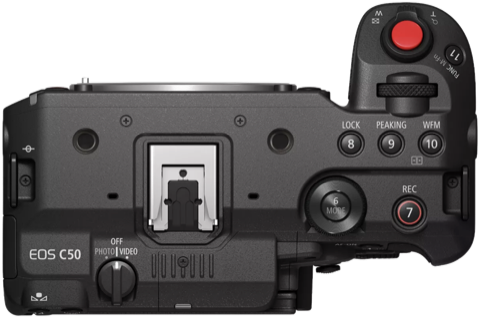
BUILT FOR ONE ANNOYING GAP
Imagine getting into the edit with your best shots marked.
Save hours editing.
Every camera on this list lets you flag a shot on set. Shot Mark reads those flags and turns them into native Premiere markers automatically — no scrubbing through footage to find them by hand.
HOW IT WORKS
It's a panel, right inside Premiere.
Three steps. That's the whole workflow.
- 01Import your footage.
- 02Press Import Shot Marks.
- 03Watch every marker from set appear.
No more scrubbing selects.
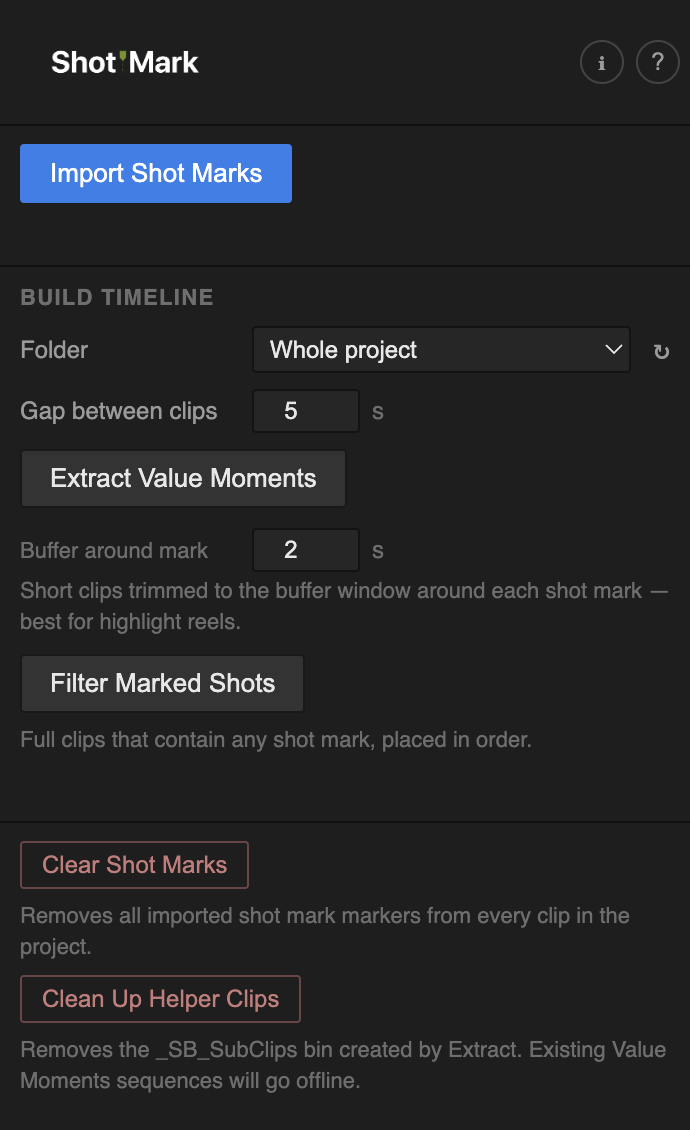
The actual Shot Mark panel — docked in your Premiere Pro workspace.
-
01
Reads the shot marks
Scans your Canon and Sony clips and reads each camera's own shot-mark data — Canon's
INDEX.MIF, Sony's per-clip XML sidecar — verified against real card data, not guessed at. -
02
Creates native Premiere markers
Frame-accurate clip markers, not a timecode note. They show up in the Source Monitor and Markers panel like any marker you'd set by hand.
-
03
Never duplicates
Every marker Shot Mark creates is tagged. Run it again on the same project as many times as you like — zero duplicates, always.
-
04
Build Timeline
Auto-assemble a highlight reel from every marked moment — trimmed to a buffer around each mark, or as full clips in order — gapped and ready to review.
COMPATIBILITY
Know before you install.
Compatible cameras
Canon and Sony cameras with a Shot Mark (or equivalent assignable) button:
Mk III C500
Mk II C700
series XF605 XF705 XF400 XF405
And other Sony XDCAM/XAVC cameras using the same sidecar format.
Format requirements
- Canon clips must be .MXF files with an INDEX.MIF sidecar in the clip folder
- Sony clips must be .MP4 files with a matching <clipname>M01.XML sidecar next to the media
- Both sidecars are created automatically the moment you press the Shot Mark button on the camera
- Media must be online (not offline) when importing marks
Does not work with
Cinema RAW Light, cameras without a Shot Mark button, or media copied without its sidecar file/folder structure.
GET IT
Ready when your footage is.
A Premiere Pro panel that turns Canon and Sony shot marks into native clip markers.
- Canon + Sony shot mark import
- Frame-accurate native markers
- Idempotent — safe to re-run, always
- Build Timeline — highlight reels from your marks
Self-signed build — comes zipped with a step-by-step install guide. Installs via the free ZXP Installer or Adobe's CEP extensions folder.
QUESTIONS
Everything you might be wondering.
Canon cinema/broadcast bodies that record XF‑AVC and have a Shot Mark button — Cinema EOS C70, C300 Mk III, C500 Mk II, C700 series, and the XF605 / XF705 / XF400 / XF405 — plus Sony's Cinema Line cameras with a Shot Mark button, like the FX3. Support comes down to whether the camera writes a shot-mark index Shot Mark knows how to read; Canon Cinema RAW Light doesn't, so that's still out of scope — not a bug, a camera/mode limitation.
No. Camera media is read-only, always. Shot Mark only reads the card's index and writes markers into your Premiere project — it never modifies footage or camera files in any way.
No. Every marker Shot Mark creates is tagged, so re-runs are always safe — you'll get "duplicates skipped," never doubled-up markers.
No. Everything runs locally inside Premiere — no accounts, no network calls, no telemetry.